 CiNotes
How PDF-to-calculator conversion works
- UploadYour PDF
- ConvertRead, split, and format
- ReceiveCalculator files by email
- TransferWith TI Connect CE
1. Upload the document
Study guides, class notes, formula sheets, review packets, multiple-choice banks, free-response sets, rubrics, even scans. If a PDF has questions and an answer key, keep them in the same file so each answer stays with its question.
2. CiNotes reads and organizes it
An AI model reads each page and breaks the material into calculator-sized notes. Then we pack them, build a search index, and turn it all into calculator files. You get real, searchable text laid out for a screen 26 characters wide.
3. Send everything over USB
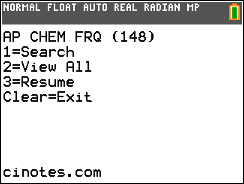
Download the ZIP from your email, unzip it, and drag every file into TI Connect CE. The setup guide covers the OS check and every keypress to open it.
.png)
What converts well?
Typed PDFs
Anything exported from Docs, Word, or a textbook site gives the cleanest text.
Scans
Clear scans usually come through fine. Blurry photos and messy handwriting are hit or miss.
Questions and answers
Answer choices, keys, explanations, free-response prompts, and rubrics stay organized together.
Long documents
Big PDFs get split across several data files on the calculator but still search as one library.
Clear the RAM and the PDF is still there.
CiNotes keeps your converted notes in Archive memory, which a RAM clear skips. The notes, the search index, and your saved place all come through.
PDF questions
What if my PDF has answers?
Keep the questions and the answer key or rubric in the same PDF. Answers can be right after each question or all together at the end.
What if we can’t read it?
If too much of a document can’t be read cleanly, the order is refunded automatically instead of sending you an incomplete set.
What does it cost?
$3 covers the first 10 pages. After that it’s 10¢ a page up to page 50 and 5¢ a page beyond. The pricing page has a calculator.
Get it off your laptop and onto your calculator.
Upload the PDF. You’ll see the price before you pay.
Convert my PDF