 CiNotes
Three ways to add notes
| Method | Good for | The catch |
|---|---|---|
| Type on the calculator | A formula or two | Slow, no search, miserable for anything long |
| Convert a text file | Plain text you’ve already formatted | Needs a desktop converter and a separate viewer program |
| Use CiNotes | PDFs, question banks, study guides, pasted notes | PDFs cost money; files arrive by email |
1. Type notes directly
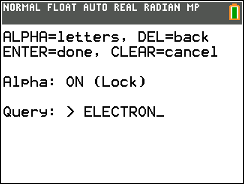
You can make a TI-BASIC program and type text into it one character at a time. For a few lines, that’s fine. For a unit’s worth of notes, it’s hours of pressing ALPHA. The keypad was built for numbers, and the result can’t be searched.
2. Convert a plain-text file
Programs like Notes CE come with a desktop converter that turns a .txt file into calculator data. You format the text yourself, run the converter, and send both the viewer program and the converted file to the calculator. For short, clean text, it’s a solid free option.
More on getting text from a computer onto the calculator
3. Convert a PDF or pasted text with CiNotes
CiNotes does the organizing for you. Upload a PDF, or paste short text straight into the page, and you get files built for the TI-84 Plus CE’s small screen, plus a viewer that can search them.
Doing it by hand
- Reformat every section yourself
- Run a converter on your computer
- Scroll to find anything
- Gets painful past a few pages
With CiNotes
- Upload a PDF or paste text
- Search every note at once
- Matches highlighted, one keypress to the next
- Picks up where you stopped
- Upload your material
- Get the files by email
- Send them over USB
- Browse or search
.png)
How to transfer notes from your computer
- Install the free TI Connect CE app on your computer.
- Connect the TI-84 Plus CE with its USB cable.
- Open Calculator Explorer in TI Connect CE.
- Drag all of the calculator files into the calculator window.
- Open the notes program on the calculator. For CiNotes, your delivery email names the program to open.
Calculators on OS 5.5 or newer need a one-time setup step before programs like CiNotes can open. The setup guide has the exact keypresses, plus fixes for the errors people actually run into.
Your CiNotes library survives a normal RAM clear.
The program, your notes, the search index, and your saved place all live in Archive memory, which a RAM clear doesn’t touch. Clear the RAM and your notes are right where you left them.
What kinds of notes work?
Common questions
Which calculators work?
CiNotes runs on the TI-84 Plus CE and TI-84 Plus CE Python Edition. It doesn’t run on the black-and-white TI-84 Plus, the TI-83, or the TI-84 Plus C Silver Edition.
Can I put a PDF directly on a TI-84?
No. The calculator can’t open a PDF. It has to be converted into calculator program and data files first. Here’s how PDF conversion works.
Can the notes include answers?
Yes. For questions with an answer key or rubric, keep them in the same PDF as the questions. CiNotes keeps each answer with its question. An answer-key-only file can’t be matched back up.
Do the notes need internet?
No. Once they’re transferred, the program and notes run entirely on the calculator.
Done typing one letter at a time?
Paste up to 300 words free, or upload a PDF starting at $3.
Make my calculator notes